DisclosureGameRath may earn a commission if you buy through links on this page, at no extra cost to you. How we make money
GameRath may earn a commission if you buy through links on this page.
This page is a buyer's guide compiled from manufacturer specifications and published reviews. GameRath did not test these products.
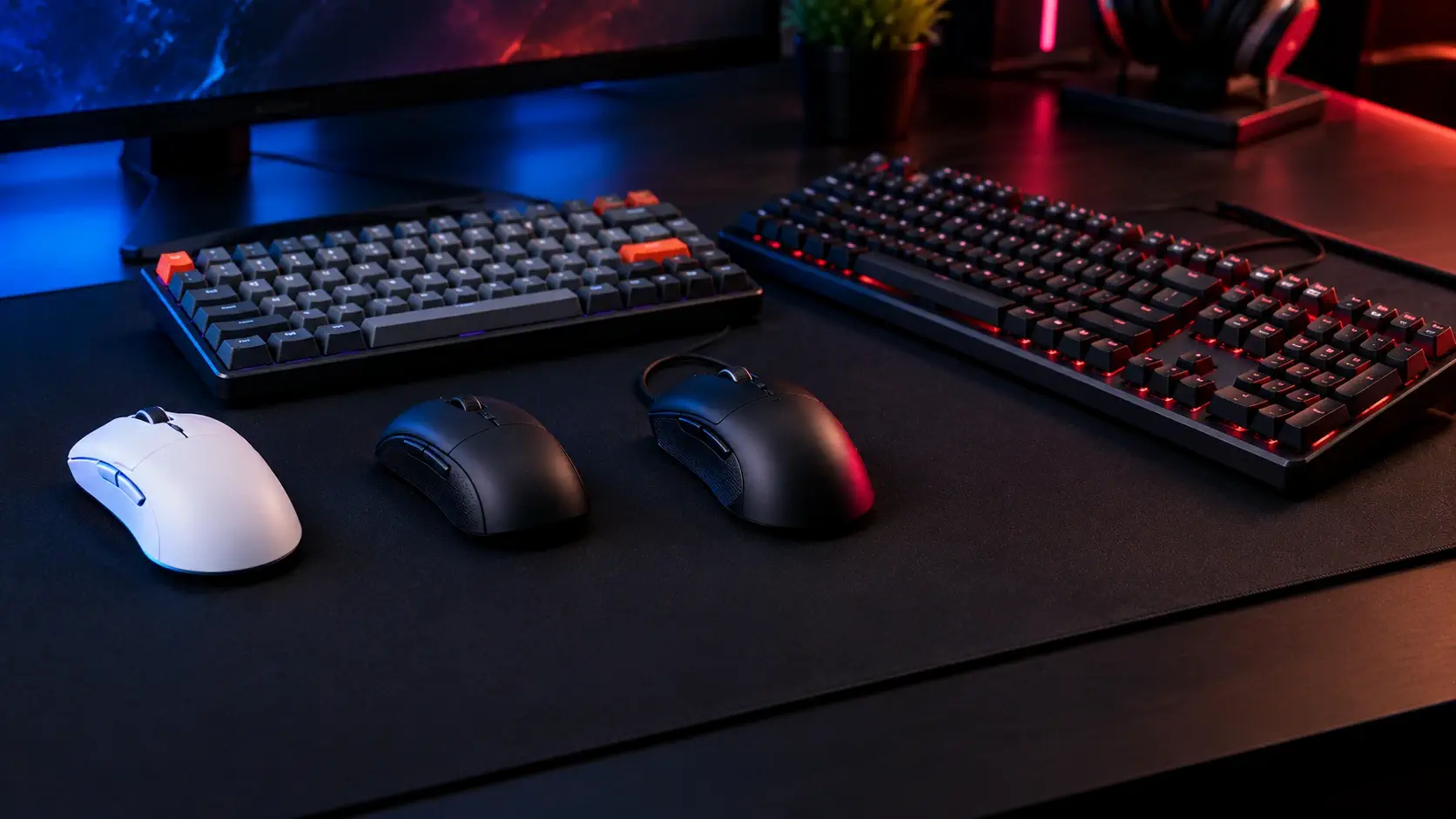
Mouse and keyboard boxes shout the wrong numbers. A 30,000 DPI sensor sounds better than a 12,000 DPI one, and an 8,000 Hz polling rate sounds better than 1,000 Hz, yet most players never use either figure. What changes the feel is weight, shape, and for keyboards the layout and switch type. This page starts from how you play and points to the product, out of the five we have covered, that fits. We cover three mice and two keyboards, so if you want a wider field than this, read our buying guides alongside it.
Every product here has its own page on GameRath with full specifications, launch pricing where it is known and what published reviews praised and criticized. We do not run lab tests. We read the manufacturers' spec sheets and the major review outlets, check where they agree and disagree, and tell you what that adds up to.
Quick picks
| If you want | Pick | Key spec | Our page |
|---|---|---|---|
| The lightest wireless mouse here, for FPS | Logitech G PRO X Superlight | About 61 to 63g, rated roughly 70 hours | G PRO X Superlight |
| A cheap wireless mouse | Logitech G305 | One AA battery rated 250 hours, 99g | Logitech G305 |
| A fast, light wired mouse | Razer DeathAdder V3 | 59g, polling up to 8000 Hz | DeathAdder V3 |
| A compact keyboard you can customize | Keychron K8 Pro | 87-key wireless TKL, hot-swappable, QMK/VIA | Keychron K8 Pro |
| A classic full-size gaming keyboard | Razer BlackWidow V3 | Wired, Razer Green or Yellow switches, Chroma RGB | BlackWidow V3 |
How we chose
We only rank products that already have a GameRath page, so every claim below traces back to a manufacturer specification or a named review. Where outlets disagreed, we say so. Launch prices appear as reference points. Street prices change often, and several of these products have newer versions: the Superlight has a Superlight 2, the DeathAdder V3 has wireless siblings, the K8 Pro has newer Keychron models and the BlackWidow V3 has newer Razer lines. For today's price, use our gaming mouse deals and gaming keyboard deals pages.
Mice at a glance
| Mouse | Connection | Weight | Battery | Polling | Launch-era price |
|---|---|---|---|---|---|
| G PRO X Superlight | Lightspeed 2.4GHz | 61 to 63g, depending on the outlet | About 70 hours | Up to 1000 Hz | $149.99 |
| G305 | Lightspeed 2.4GHz | 99g with the AA battery | 250 hours on one AA | 1000 Hz | $59.99 MSRP |
| DeathAdder V3 | Wired | 59g | Not applicable | Up to 8000 Hz | $69.99 MSRP |
Best ultralight wireless mouse: Logitech G PRO X Superlight
The original G PRO X Superlight is a right-handed wireless mouse with a HERO optical sensor (up to 25,600 DPI), LIGHTSPEED 2.4GHz wireless and a rated battery life of about 70 hours. Outlets measured its weight at 61g (Laptop Mag), 62g (ProSettings) or 63g (Custom PC). ProSettings described pixel-accurate tracking with no smoothing or angle snapping and said a 62g mouse with a rechargeable battery "really does deserve the title of being super light." Custom PC went further, saying it could claim to be the best mouse on the market for right-handed FPS players.
The complaints are consistent. It charges over micro-USB rather than USB-C, it has no physical DPI button, and TechRadar found the small shape offers little palm support in long sessions. ProSettings noted minor button wobble when pressed off-center. Reviewers called the $149.99 launch price steep, and Laptop Mag judged it fair for new buyers but a hard sell for owners of the earlier G PRO Wireless. It has been replaced by the Superlight 2, which Engadget reported adds USB-C, a Hero 2 sensor, 2000 Hz polling and a 95-hour battery at about 60g.
Who it suits: right-handed FPS players who want very low weight, especially if they find the original at a discount. Who should pass: left-handers, anyone who wants USB-C, and anyone who needs extra buttons. Our Superlight vs Razer Viper Ultimate guide compares shapes.
Best budget wireless mouse: Logitech G305
The Logitech G305 is a budget wireless mouse that runs on one AA battery rated by Logitech for 250 hours. It uses the Hero optical sensor at up to 12,000 DPI, Lightspeed wireless with a 1 ms response time and has six programmable buttons with onboard memory for up to five profiles. Tom's Hardware described a responsive sensor and a dependable connection at an affordable price, and TechPowerUp praised the sensor, the wireless connection and a solid build with no creaks.
It is not a light mouse. At 99g with the battery installed, TechPowerUp called it heavy. The battery is not rechargeable, there is no Bluetooth or RGB, the compact shape can feel small for larger hands, and TechPowerUp found the feet high in friction and the side buttons long in travel. It also questioned the 10 million click rating at this price, and TechRadar noted it struggled on glass. Tom's Hardware lists a $59.99 MSRP and said it was often discounted to between $29.99 and $49.99.
Who it suits: someone who wants Logitech's sensor and reliable wireless at a low price, without large hands. Who should pass: anyone who wants a rechargeable battery, a larger shape or a light mouse.
Best fast wired mouse: Razer DeathAdder V3
The wired DeathAdder V3 weighs 59g and uses the Razer Focus Pro 30K sensor (up to 30,000 DPI) with polling selectable up to 8000 Hz. TechPowerUp highlighted that 8000 Hz works natively, with no extra dongle, and that the 1.8m braided cable is flexible. PCGamesN praised the comfortable ergonomic shape, the light feel and flawless tracking, and Windows Central called it one of the best mice for right-handed players who want performance over extras, with a shape suited to medium-to-large hands.
The trade-offs are the extras and the price. It is wired only (Razer sells the wireless DeathAdder V3 HyperSpeed at $99.99 and 55g, per TechRadar, and a V3 Pro at 64g), the cable is not removable, there is no RGB and only black is offered. PCGamesN judged the $69.99 MSRP mediocre value, saying competitors with similar core features cost $10 to $20 less.
Who it suits: right-handed players with medium or large hands who want a light wired mouse and high polling rates. Who should pass: left-handers, anyone who wants wireless or a smaller symmetrical shape. A sale price makes it easier to justify.
Which mouse?
Pick the shape first, then the weight. The Superlight is the lightest wireless option here but small in the palm, the G305 is the cheap wireless option but heavy, and the DeathAdder V3 is the larger wired shape. Our gaming mouse buying guide explains weight, sensor and shape in order, and our wireless vs wired gaming mouse comparison covers latency, battery and price.
Keyboards at a glance
| Keyboard | Layout | Connection | Switches | Launch-era price |
|---|---|---|---|---|
| Keychron K8 Pro | 87-key TKL | Bluetooth 5.1 (up to three devices) or wired USB-C | Gateron G Pro or Keychron K Pro, hot-swappable versions available | $79 barebones, $99 plastic, $109 aluminum (Input) |
| Razer BlackWidow V3 | Full-size, 104 keys | Wired | Razer Green (clicky) or Yellow (linear) | $124.99 to $139 |
Best compact keyboard: Keychron K8 Pro
The Keychron K8 Pro is an 87-key wireless TKL keyboard with hot-swappable versions, double-shot PBT keycaps and QMK/VIA support through the Keychron Launcher. Keychron lists up to 260 hours of battery life with the backlight off. Input called it a solid sub-$100 TKL for newcomers, BGR gave it a Gold Award and The Gadgeteer said it feels built like a tank.
The catch for gamers is wireless performance. The keyboard polls at 1000 Hz wired but only 90 Hz wirelessly, which Input said made it unsuitable for gaming over Bluetooth. iMore noted that remapping through VIA requires the cable to be plugged in, and The Gadgeteer found the customization software a little tricky. Non-hot-swappable variants exist, so check the listing. As of October 6, 2026 Keychron's own page showed $74.99 on sale against a regular $99.99 and pointed shoppers to newer K8 HE and K8 Ultra 8K models.
Who it suits: people who want a compact mechanical keyboard to customize, switch between devices and use mostly for typing, with gaming over the cable. Who should pass: anyone who needs a numpad, low-latency wireless for competitive play or an RGB-heavy gaming board.
Best classic full-size keyboard: Razer BlackWidow V3
The Razer BlackWidow V3 is a wired full-size mechanical keyboard with 104 keys, aluminum construction, per-key Chroma RGB with 16.8 million colors, media keys and a multi-function roller. It comes with Razer Green (clicky) or Razer Yellow (linear) switches rated for 80 million keystrokes. Laptop Mag listed 1.9mm actuation and 4mm travel for the Green and 1.2mm and 3.5mm for the Yellow, and praised the build quality, comfortable typing and Synapse customization.
Its weaknesses are materials and size. The doubleshot ABS keycaps can become shiny with use compared with PBT, Laptop Mag described the included wrist rest as rigid plastic, and the full-size layout takes more desk space than a tenkeyless board. Sypnotix reported light bleed on the pink Quartz keycaps. The reviews list launch-era prices from $124.99 to $139, and Razer has since moved on to newer BlackWidow lines, including a wireless V3 Pro and a V4.
Who it suits: players who want a sturdy full-size wired board with a numpad and a choice between clicky and linear switches, as a first mechanical keyboard if discounted. Who should pass: anyone who wants a compact layout, wireless, hot-swappable switches or PBT keycaps.
Which keyboard?
If you want a smaller board, hot-swappable switches and PBT keycaps, choose the K8 Pro and use it wired for competitive games. If you want a traditional gaming layout with a numpad and RGB, the BlackWidow V3 is the one, accepting that it is wired and has ABS caps.
How to choose
Weight. Competitive mice now commonly sit between roughly 55 and 75g, but lighter is not automatically better: a larger palm grip can feel more stable on a heavier mouse. The three mice here range from 59g to 99g.
Sensor and DPI. Max DPI figures are mostly marketing. Most players use between 400 and 1600 DPI, so look at the sensor's reputation and the shape, not the box number.
Polling rate. 1000 Hz is plenty for most players. Higher rates, like the DeathAdder V3's 8000 Hz, can make cursor movement look smoother on a high-refresh monitor, but they can add CPU load and, on a wireless mouse, shorten battery life.
Wireless. For mice, a 2.4GHz dongle is the wireless to buy for games; Bluetooth is a convenience mode. For keyboards the same warning applies in a sharper form: the K8 Pro polls at only 90 Hz wirelessly.
Layout and switches. A full-size board gives you a numpad and takes more desk space, while a TKL frees room for the mouse. Hot-swappable sockets, like the K8 Pro's, let you change switches without soldering. Clicky switches such as the BlackWidow V3's Green are louder than linear Yellows.
Where to find the best price
Prices quoted here are launch-era or review-era figures, and each product has newer siblings or successors. Compare current offers on our gaming mouse deals and gaming keyboard deals pages, and confirm the exact model in the listing, especially for the Superlight (original or Superlight 2), the DeathAdder V3 (wired, HyperSpeed or Pro) and the K8 Pro (hot-swappable or not).
Common questions
Is wireless good enough for competitive gaming? For a quality 2.4GHz mouse, our guides say the gap with wired has closed, and the choice becomes mostly battery and price. Keyboards over Bluetooth are a different matter, as the K8 Pro's 90 Hz wireless polling shows.
Does 8000 Hz polling matter? For most players, no. 1000 Hz is plenty, and higher rates can add CPU load and drain a wireless battery faster.
Clicky or linear switches? It is a matter of feel and noise. The BlackWidow V3 offers a clicky Razer Green and a linear Razer Yellow with a shorter actuation distance.
What is a hot-swappable keyboard? One where you can change the switches without soldering, as on the K8 Pro's hot-swappable versions. Check the listing, since non-hot-swappable variants exist.
Keep building the setup
A mouse and keyboard are one part of a desk. See how every category fits together in Best Gaming Hardware in 2026, then read our gaming headset buying guide and gaming monitor buying guide.
Sources: TechRadar - Logitech G Pro X Superlight review, ProSettings - Logitech G Pro X Superlight Review, Laptop Mag - Logitech G Pro X Superlight review, Custom PC - Logitech G Pro X Superlight review, Engadget - The Logitech G Pro X Superlight 2 improves an already great gaming mouse, Tom's Hardware - Logitech G305 Lightspeed Review, TechPowerUp - Logitech G305 Review, TechRadar - Logitech G305 Lightspeed Wireless review, Logitech - G305 LIGHTSPEED Wireless Gaming Mouse, TechPowerUp - Razer DeathAdder V3 Review, PCGamesN - Razer DeathAdder V3 review, Windows Central - Razer DeathAdder V3 mouse review, TechRadar - Razer DeathAdder V3 HyperSpeed review, Keychron - K8 Pro QMK/VIA Wireless Mechanical Keyboard, Input - Keychron K8 Pro review, iMore - Keychron K8 Pro wireless mechanical keyboard review, BGR - Keychron K8 Pro Mechanical Keyboard Review, The Gadgeteer - Keychron K8 Pro mechanical keyboard review, Laptop Mag - Razer BlackWidow V3 keyboard review, Sypnotix - Razer Blackwidow V3 Keyboard Review, KitGuru - Razer revamps its keyboard line up with BlackWidow V3