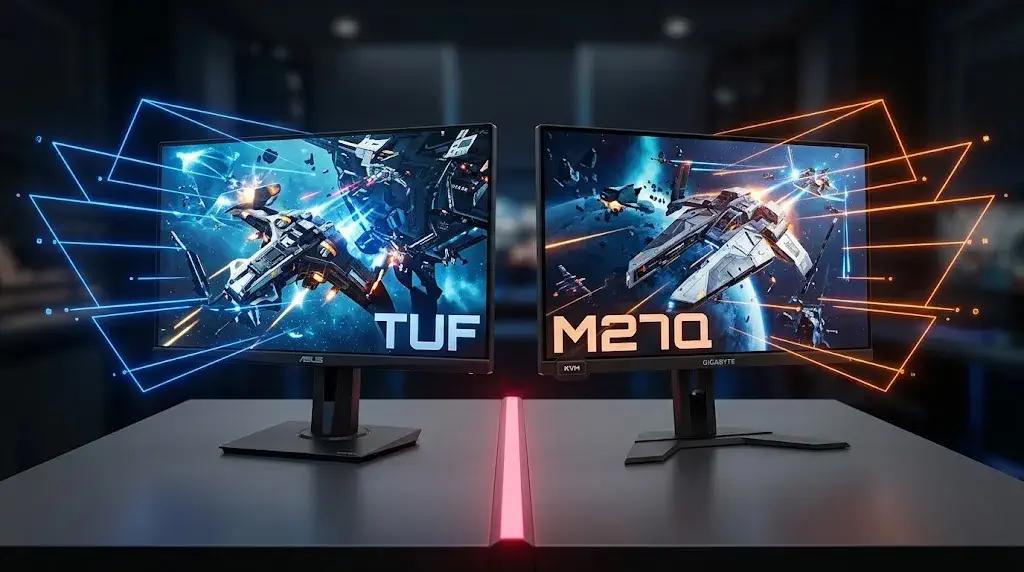
Two monitors dominate "best 1440p 165Hz panel" conversations for a similar price: ASUS's TUF Gaming VG27AQ and Gigabyte's M27Q. Both are 27-inch IPS panels running 1440p at 165Hz, both launched years ago and have stayed recommended well past that, and both regularly show up discounted below their original list prices. But they were built around different priorities — one leans into certified adaptive sync and clean text rendering, the other into a wider color gamut and productivity features most gaming monitors skip. Here's how they actually compare.
Specs Compared: Color Gamut vs Certified Sync
On paper, these two trade blows depending on what you weigh most. The ASUS TUF Gaming VG27AQ runs a standard RGB subpixel layout, is G-SYNC Compatible certified for smooth NVIDIA adaptive sync, and covers the sRGB gamut with a 1,000:1 static contrast ratio. It launched at $329.99 and now commonly sells in the $200s. The Gigabyte M27Q matches the 165Hz refresh rate (170Hz overclocked) and adds a noticeably wider color gamut — 92% DCI-P3 and roughly 95% Adobe RGB, well beyond the VG27AQ's sRGB-only coverage — plus a USB-C port with 10W power delivery and a built-in KVM switch for driving two PCs from one keyboard and mouse. It typically sells in the $230-$300 range and supports FreeSync Premium rather than carrying NVIDIA's G-SYNC Compatible certification.
What's the core trade-off between the ASUS TUF Gaming VG27AQ and the Gigabyte M27Q? The VG27AQ uses a standard RGB subpixel layout for cleaner text rendering and carries NVIDIA's G-SYNC Compatible certification, while the M27Q trades a small amount of text sharpness — its BGR subpixel layout causes minor red-and-blue fringing on fine text — for a substantially wider color gamut and productivity features like USB-C power delivery and an integrated KVM switch that the VG27AQ doesn't offer at all.
Which Monitor Actually Wins for Gaming vs Everyday Use
For pure gaming motion clarity, the two are close enough that refresh rate and adaptive sync smoothness matter more than the panel differences — both hit 165Hz with low input lag, and both handle fast-paced competitive titles well. Where they actually separate is everything around the games. The M27Q's wider color gamut makes a real difference for anyone who also edits photos, watches HDR content, or wants richer color outside of gaming, and its KVM switch and USB-C power delivery mean a single monitor can double as a work display for a laptop without extra cables. The trade-off is that same BGR subpixel layout, which some users notice as slightly blurry or fringed text in everyday desktop use — a real annoyance for anyone who spends hours reading or writing on the same screen.
The VG27AQ answers back with G-SYNC Compatible certification specifically, which matters if you're running an NVIDIA card and want NVIDIA's own validation rather than a generic FreeSync-compatible claim, plus a standard RGB subpixel layout that renders text cleanly without the fringing complaint that follows the M27Q in review after review. If your usage is gaming-first with some general desktop work and you're on an NVIDIA GPU like the RTX 4070, the VG27AQ's certification and text clarity are the safer, less compromised pick.
Ports and Everyday Ergonomics
Port selection is one more place the two diverge in a way that's easy to overlook until you're actually cabling up a desk. The M27Q's USB-C input with 10W power delivery can charge a laptop while driving the display over a single cable, and its dual USB 3.0 downstream ports plus KVM switch mean peripherals can stay connected to the monitor rather than swapping between two PCs by hand. The VG27AQ skips USB-C and KVM entirely in favor of a simpler DisplayPort-plus-dual-HDMI setup, which is all most single-PC gaming setups actually need. Both monitors offer full height, tilt, swivel, and pivot stand adjustment, so ergonomics aren't a deciding factor either way.
Which One Should You Buy?
Buy the ASUS TUF Gaming VG27AQ if you want certified NVIDIA adaptive sync, cleaner text for everyday desktop use, and don't need a KVM switch or wider color coverage. Buy the Gigabyte M27Q if you want a noticeably wider color gamut for photo work or HDR content, a built-in KVM switch for a dual-PC setup, and can live with occasional text fringing from its BGR subpixel layout. Both panels are mature enough now that "on sale" isn't a compromise — check our current gaming monitor deals before paying full price for either one.
Sources: DisplayNinja — Gigabyte M27Q review